> For the complete documentation index, see [llms.txt](https://docs.clovis.network/llms.txt). Markdown versions of documentation pages are available by appending `.md` to page URLs; this page is available as [Markdown](https://docs.clovis.network/more/yei-finance/yeilend/high-efficiency-mode-e-mode.md).
# High Efficiency Mode (E-mode)
## Overview
The High Efficiency Mode (E-mode) is designed to maximize capital efficiency by allowing users to leverage assets with correlated prices as collateral. This feature is particularly beneficial when dealing with assets like stablecoins, which maintain a consistent value relative to a specific reference, such as the USD.
## E-mode Asset Categories
Yei Finance supports two primary asset categories under E-mode:
1. **Stablecoins**: Examples include USDC and USDT, which are pegged to the USD and exhibit correlated price movements. Utilizing stablecoin E-mode, users can supply stablecoins and enjoy higher collateralization power when borrowing other stablecoins.
2. **SEI-related Assets**: This category includes assets such as WSEI and SEI. In SEI E-mode, users can supply these assets and benefit from a higher borrowing Loan-to-Value (LTV) ratio of up to 75%, thereby enhancing borrowing capacity.
### Borrowing Rules in E-mode
* **Category Restriction**: Only assets within the same category can be borrowed in E-mode. For instance, if a user supplies stablecoins in E-mode, they can only borrow other stablecoins.
* **Collateral Usage**: E-mode does not restrict the usage of other assets as collateral. Assets outside of the E-mode category can still be supplied as collateral, adhering to normal LTV and liquidation parameters.
## How to Enter E-mode
{% stepper %}
{% step %}
## Enable E-mode
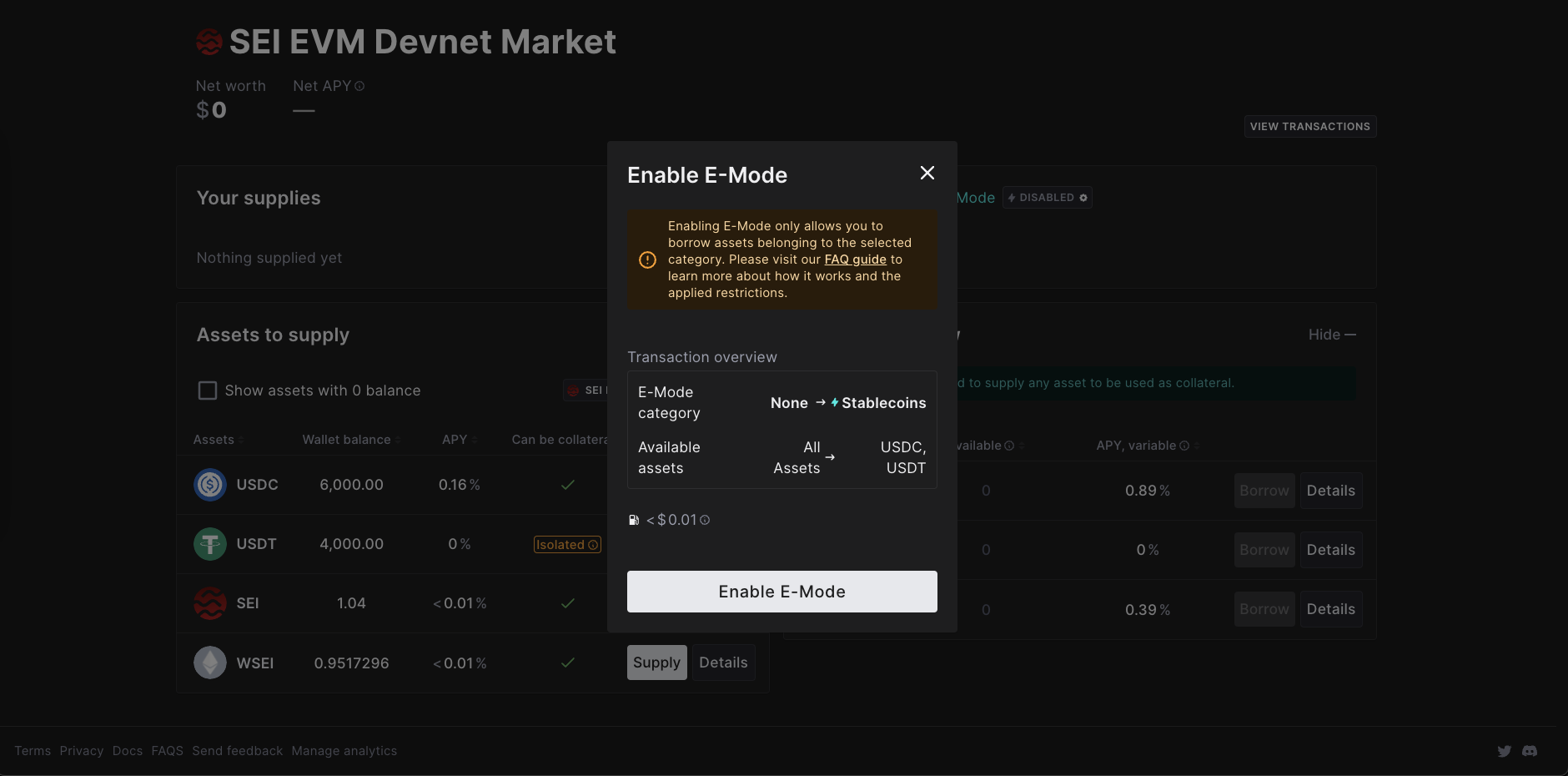
From the dashboard, find “Your borrows” and click “Enable E-mode.”
{% endstep %}
{% step %}
## Follow Instructions
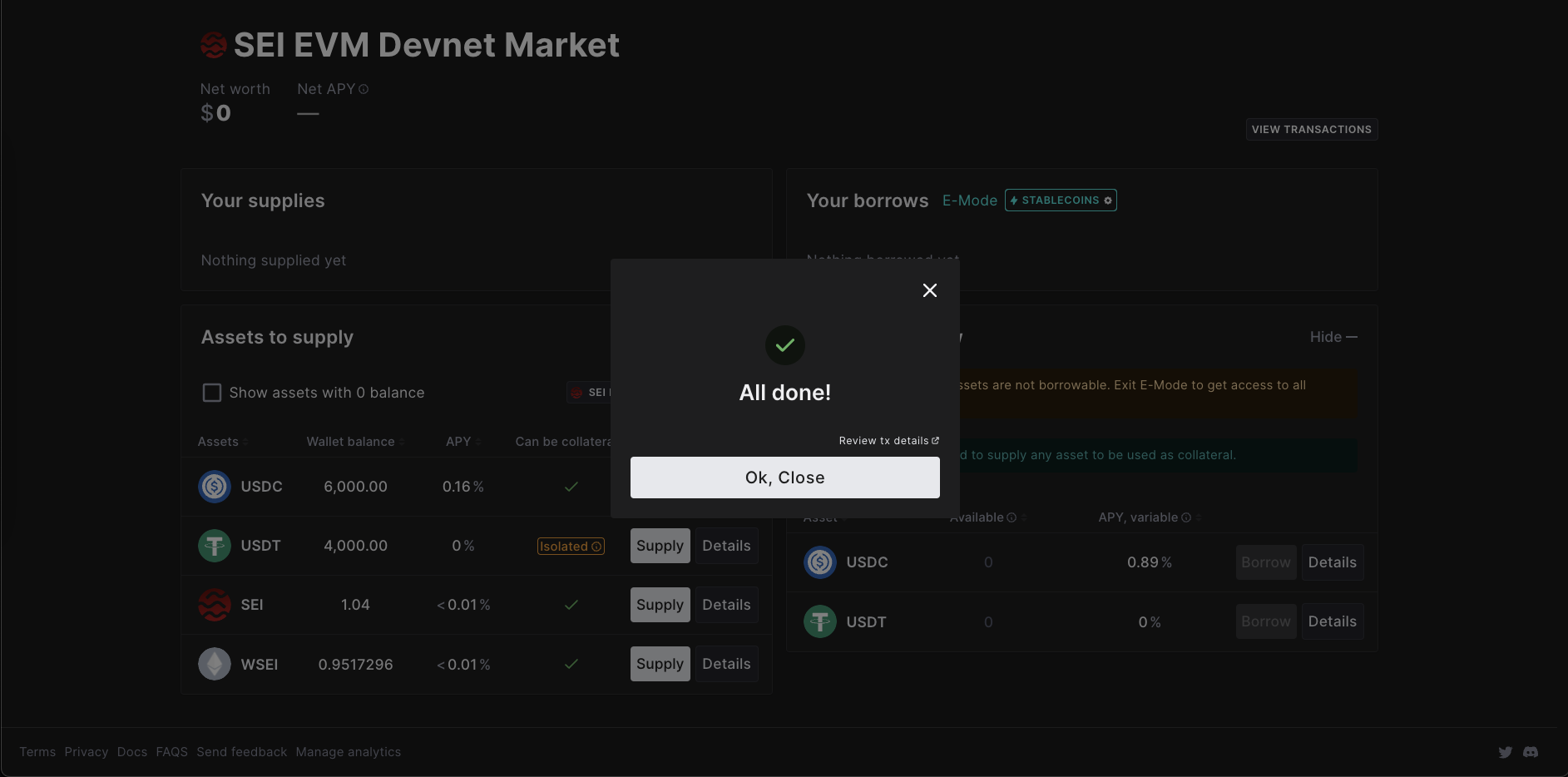
After checking the warning and Gas Fee, click “Enable E-mode” to activate enhanced borrowing capabilities.
{% endstep %}
{% endstepper %}
## How to Exit E-mode
{% stepper %}
{% step %}
## Disable E-mode
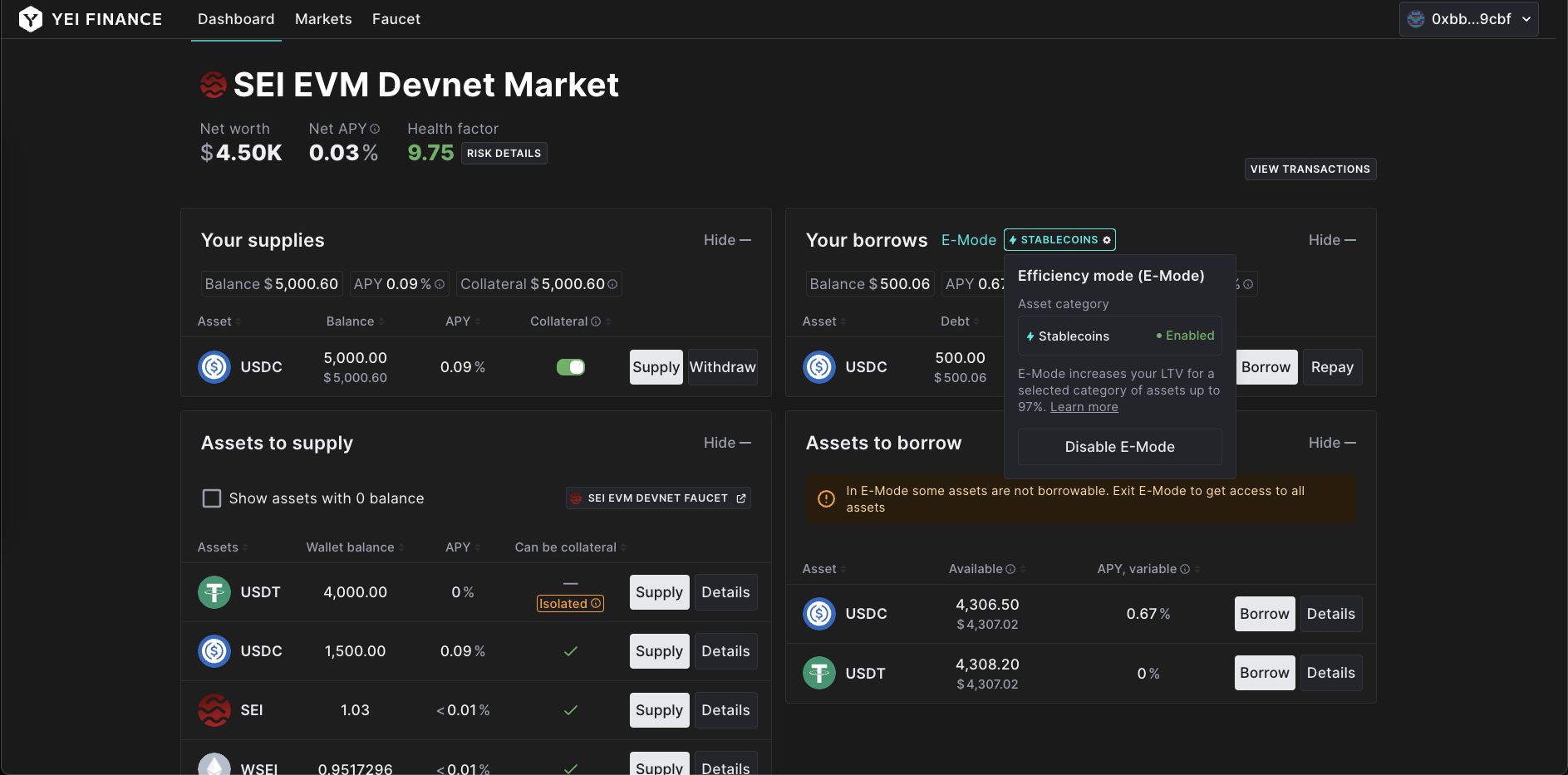
Select “stablecoins” icon under “Your Borrows” and click “Disable E-mode”.
{% endstep %}
{% step %}
## Confirm and disable
After checking the Health factor, Maximum loan to value and Gas Fee, click “Disable E-mode” to deactivate E-mode.
{% endstep %}
{% endstepper %}
## How to Switch Asset Category Under E-mode
{% stepper %}
{% step %}
## Switch E-mode Category
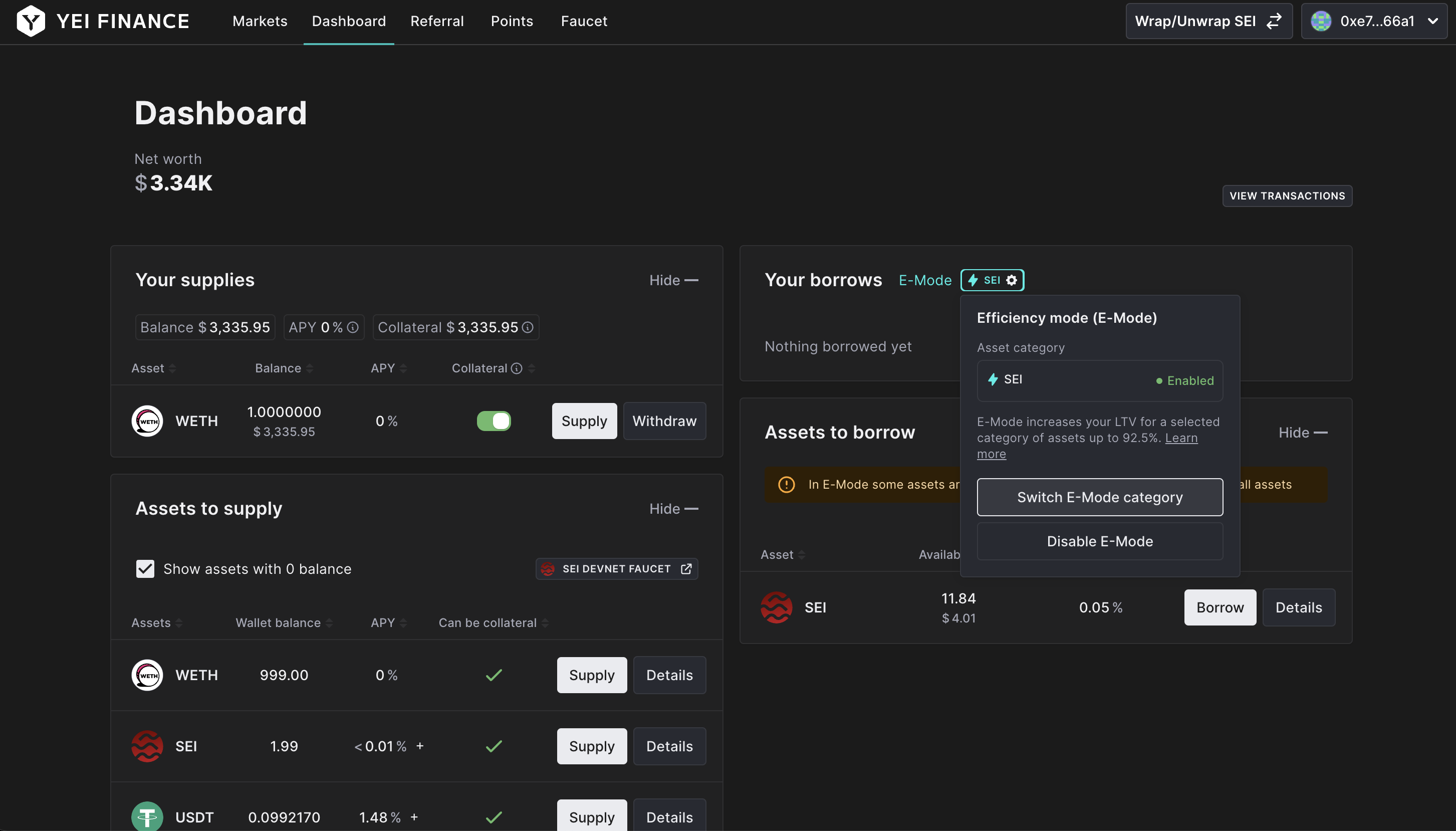
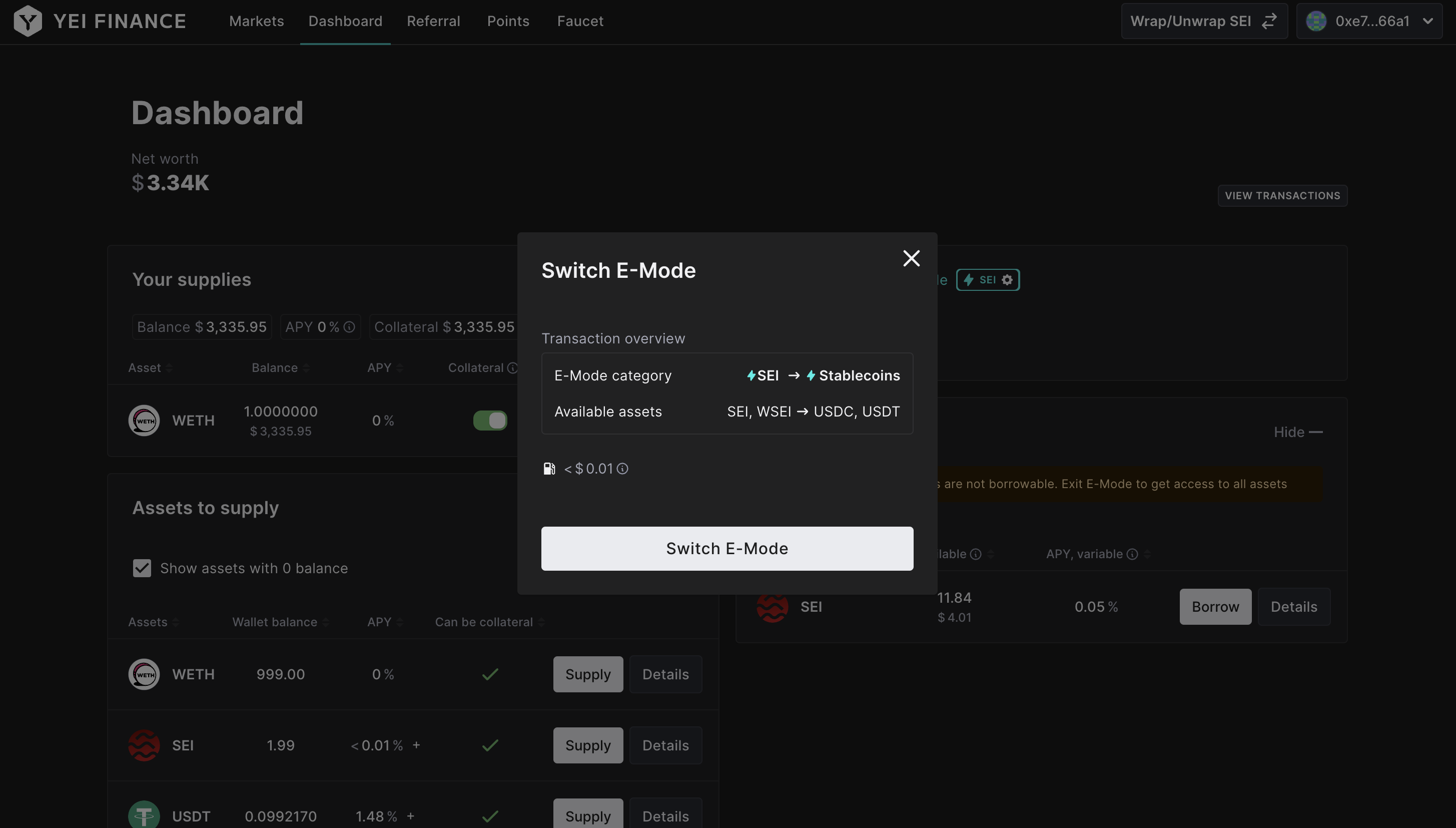
Select the E-mode icon and choose "Switch E-mode Category" to switch between SEI-related E-mode and Stablecoin E-mode.
{% endstep %}
{% step %}
## Confirm Assets Under E-mode
Before switching to another asset category, ensure that you have repaid any outstanding debt under the current asset category.
{% endstep %}
{% endstepper %}